
After the app is installed, follow the instructions below to configure the playlist.
- Configure the Playlist - Open the app and select ADD PLAYLIST.
You can add a playlist using multiple methods like download m3u link (local playlist), Remote playlist (Enter URL) and Xtream Code Login. We recommend to connect using the Xtream Code method.
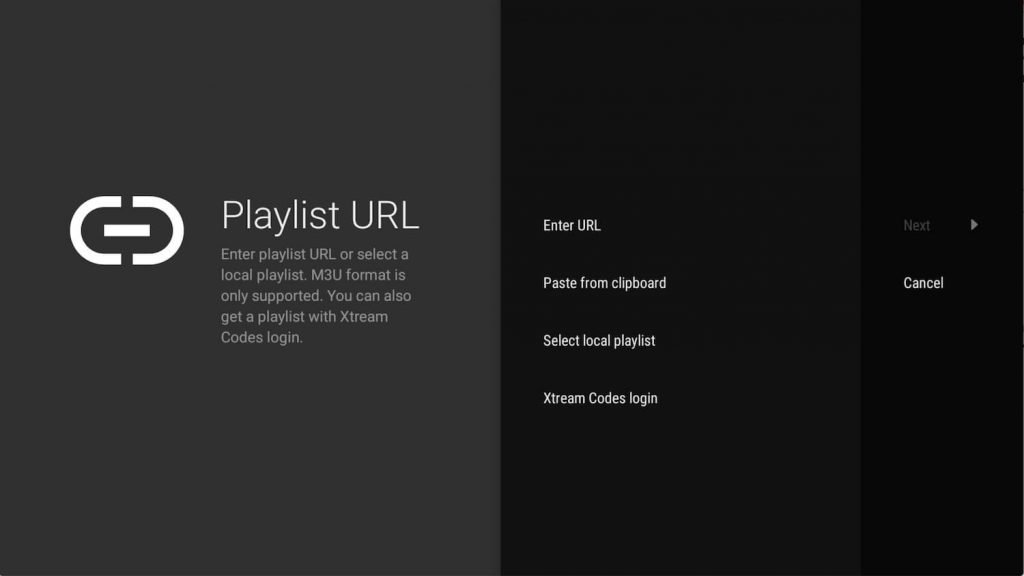
2. Enter Xtream Codes Details
Choose Xtream Codes login and enter Xtream connection details which are provided in the Activation email. Then choose Next.
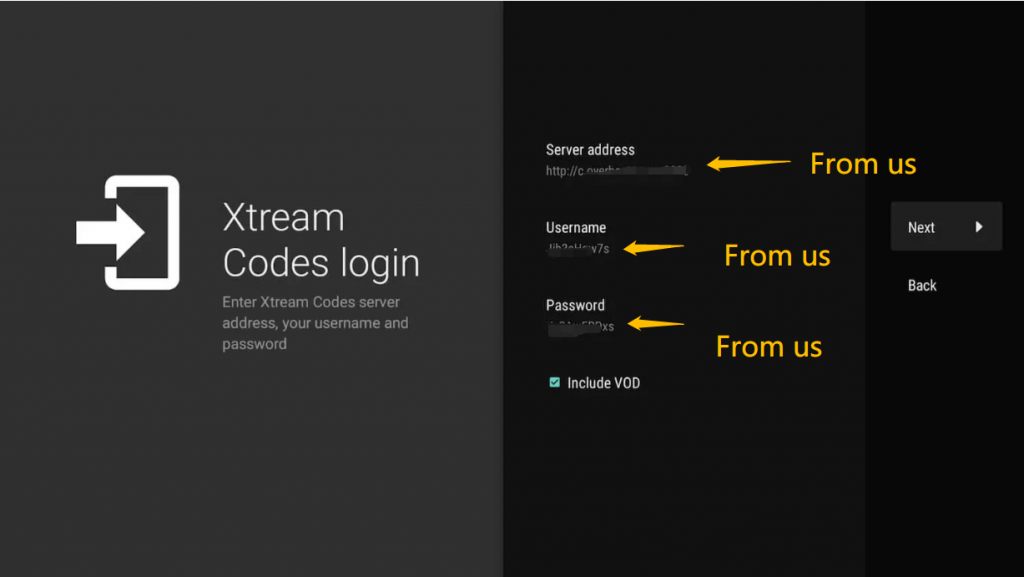
3. Choose a Playlist name
TiviMate will create a playlist name automatically. However, you can change it to a name of your choice, then choose Done.
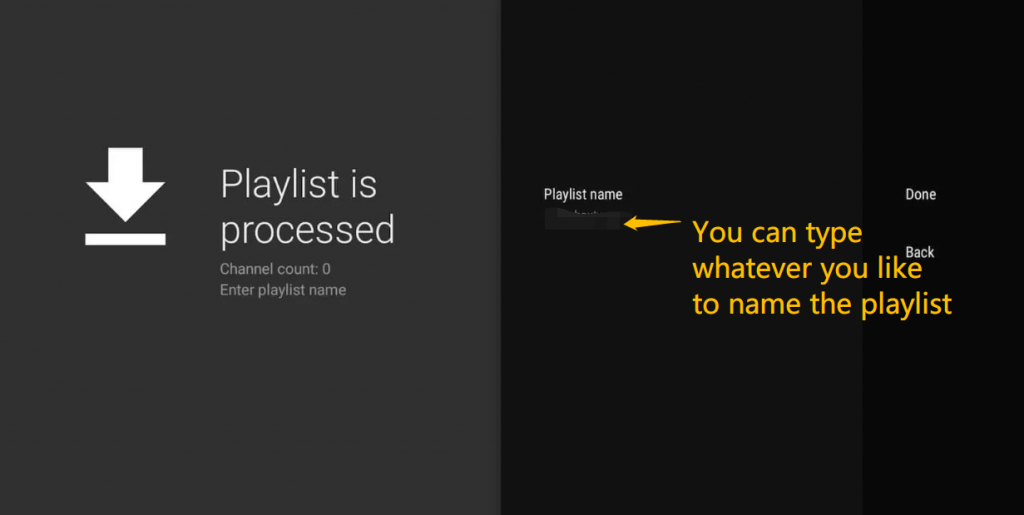
4. The playlist will process for up to 10 minutes, so be patient.
5. Once the channels are loaded, the EPG (electronic program guide) will load sequentially.
