GSE smart IPTV app available for iPhone, iPad, and MAC OS X. You can download it from the Apple App store.
Download for iOS devices : https://apps.apple.com/app/gse-smart-iptv/id1028734023
Download for MAC OS X : https://apps.apple.com/se/app/gse-smart-iptv-pro/id1293083751?l=en&mt=12
Install IPTV on GSE Smart IPTV
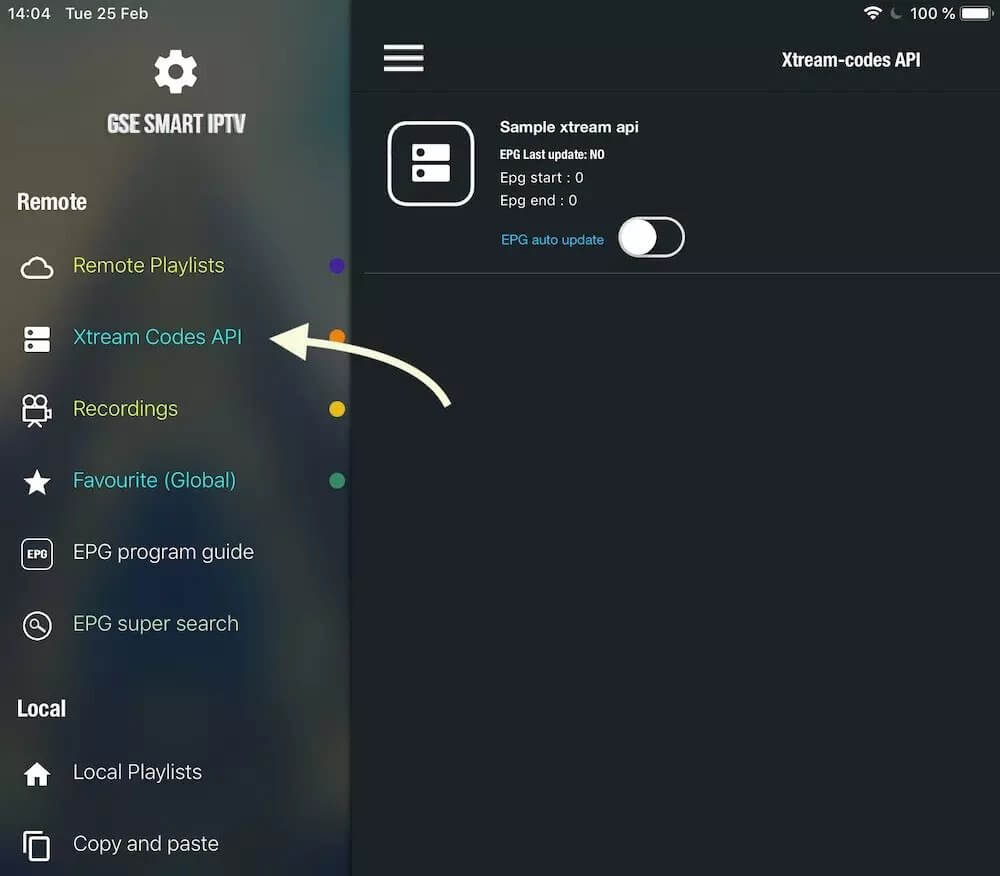
- Navigate to XTREAM CODES API
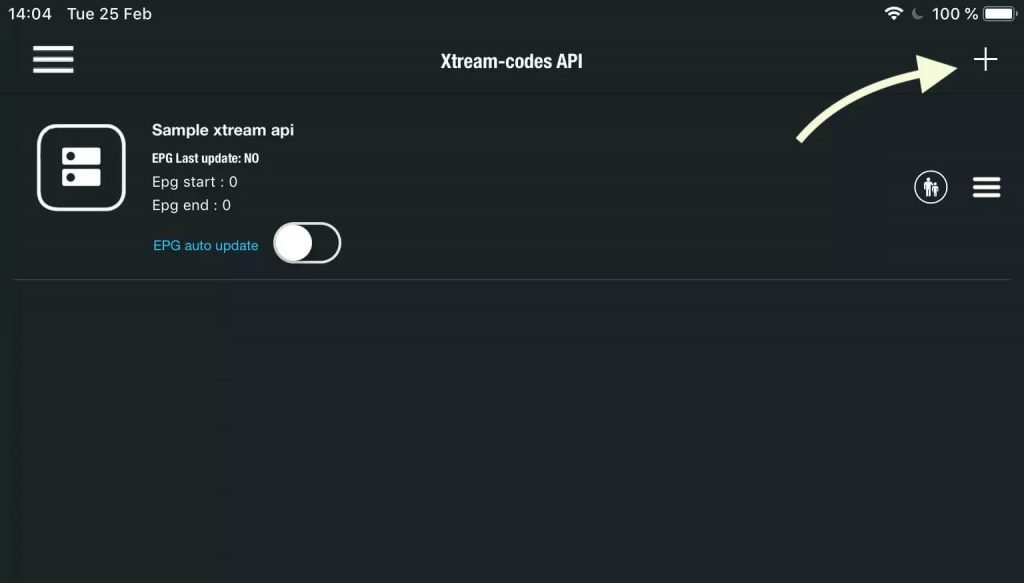
2. Press + icon
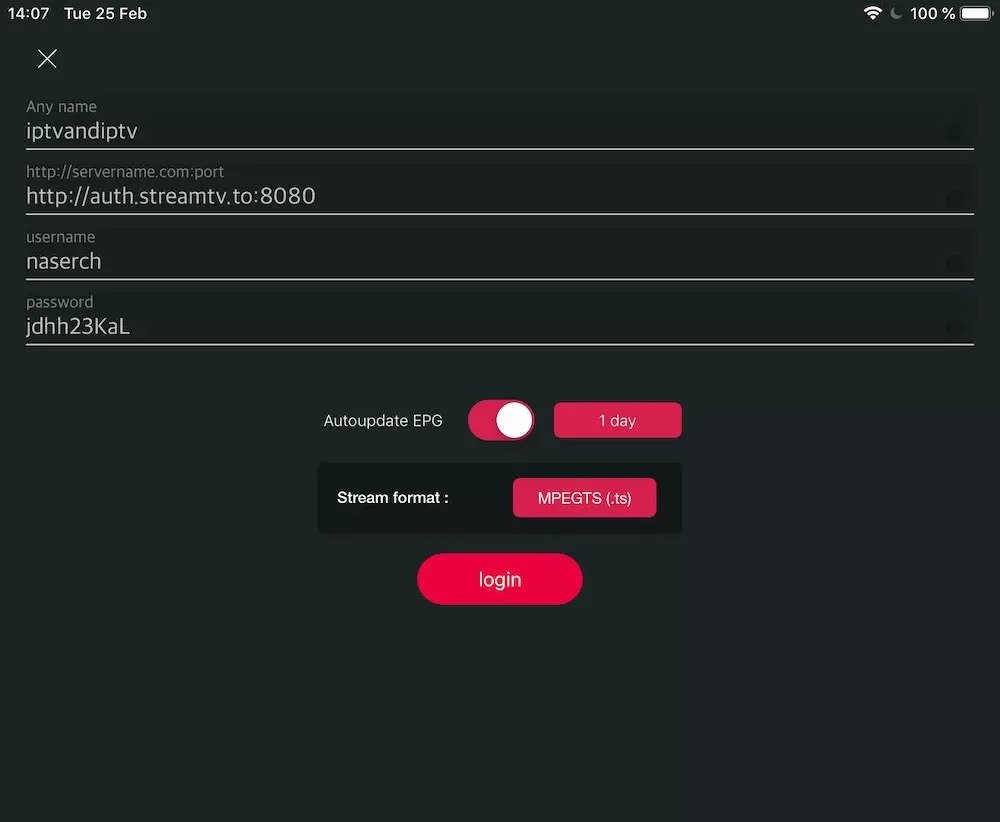
3. Enter Xtream based details
Enter Xtream based connection details : Server , username and password which provided by your IPTV provider. (the details in picture are example and you need enter your own )
You need set a name in Any Name field , It can be any name as you like .
Turn ON Autoupdate EPG
Then press login
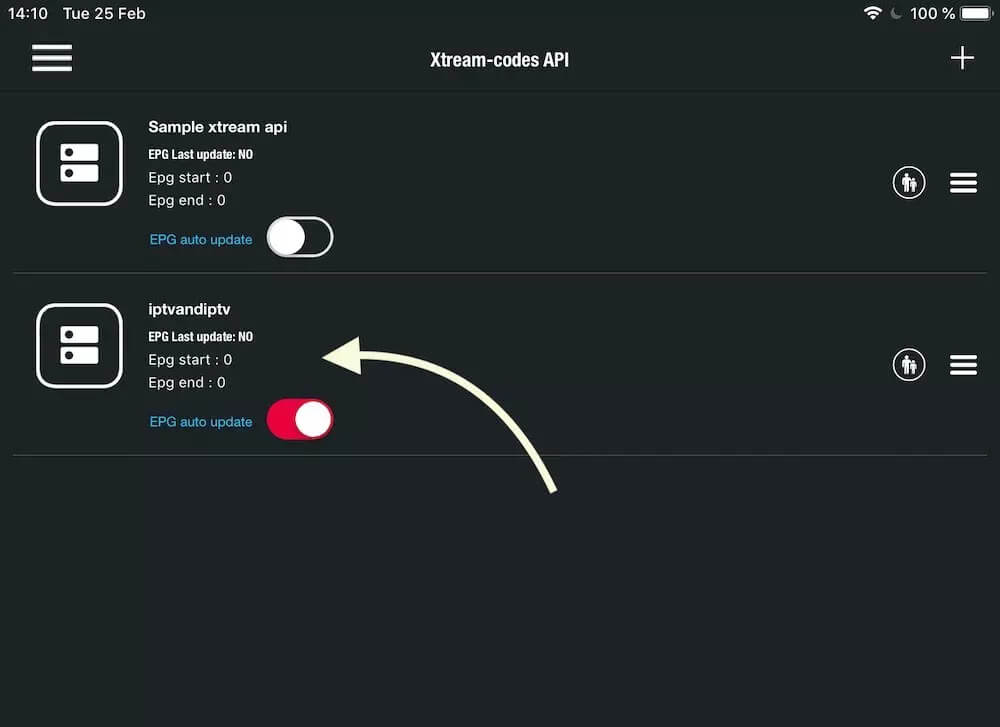
4. Enter create
Enter created list and watch movies and Live TV channels